When predictive search works well, it helps guests articulate better search queries. It's not just about speeding up the search process, it's about guiding the guest and lending a hand as they begin to search.
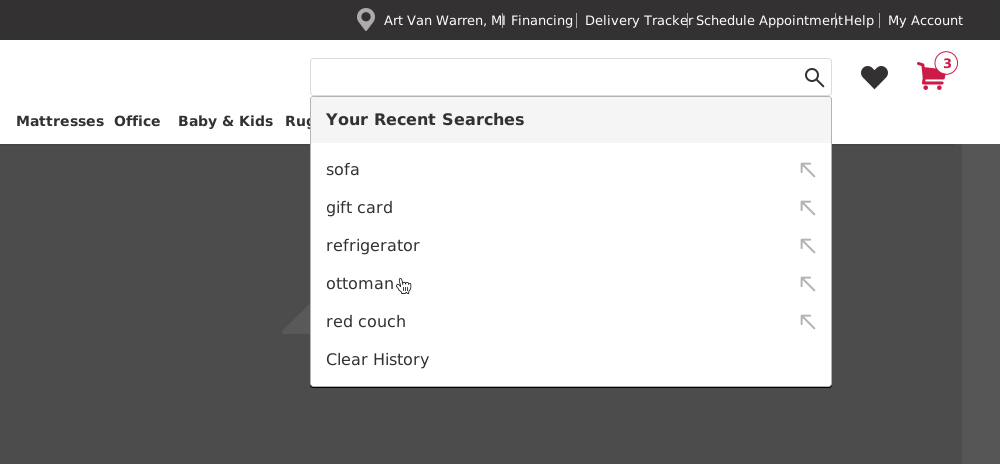
In this updated design, guests can see their five most recent searches. The menu appears as soon as they click into the search bar, before they've typed anything.
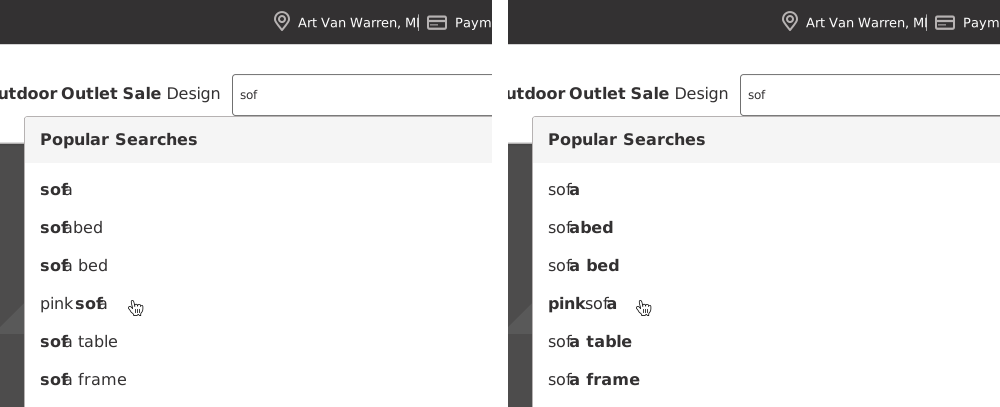
Rather than repetitively highlighting the characters the guest had already typed (our previous design), we now highlight the differences in syntax instead, helping guests "fill in the blanks."
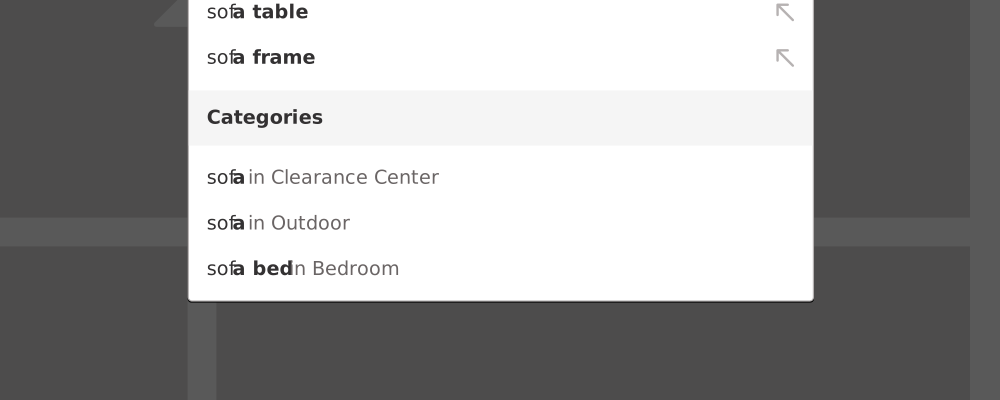
Some products span multiple categories, a sofa can be indoor or outdoor, for example. When that happens, a "Categories" section makes them easier to find, eliminating the need for search filters and cutting a step out of the guest's shopping journey.
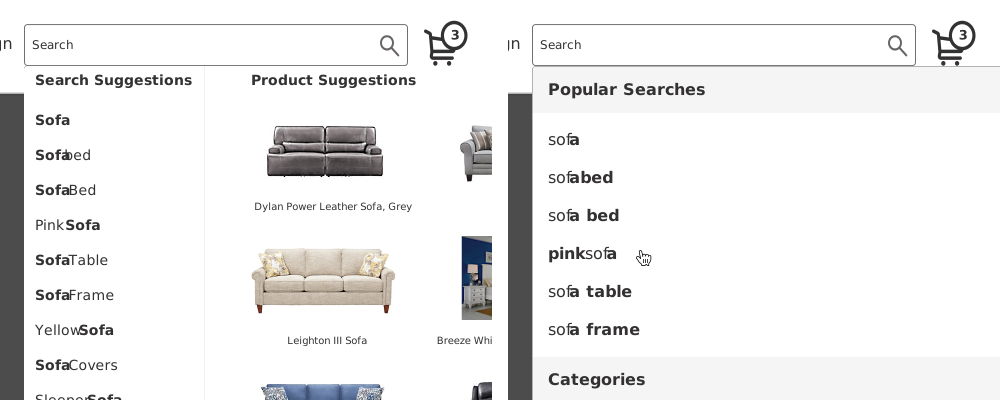
Large-scale usability testing has shown that product-suggestion visuals in autocomplete (our original design, left) can distract guests from completing their search. We removed them (right) to help guests stay focused on the task at hand.